

Poster Pro-AI-powered design tool for posters.
AI-powered design for effortless posters.
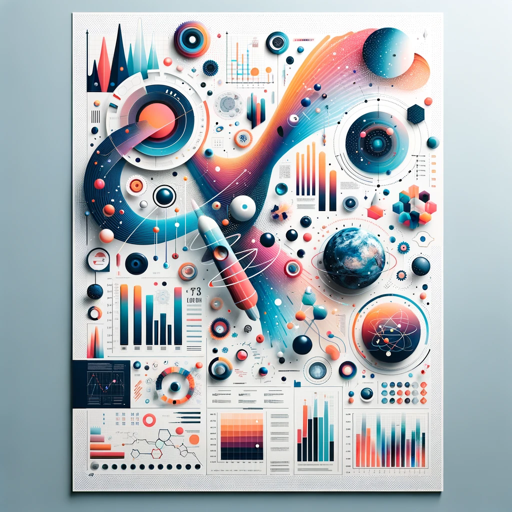
A helper in creating visually appealing and informative scientific posters.
How can I improve the layout of my poster?
What color scheme would be best for my topic?
Can you create a poster draft for my research data?
How should I present my figures for clarity?
Get Embed Code
Related Tools

Beautiful.ai Presentation Maker
Make beautiful presentations, charts, and pitch decks 10x faster. Export to PPT, PDF, and Google Slides
Cartoon Animations Pro v1.2
Create animation and illustration styles with exceptional quality Using Dall-E 3 to create professional-grade images that mimic popular animation studios' aesthetics while offering customization and flexibility in lighting, character consistency, storytel

Flyer Design Pro
Generates multiple flyer design ideas.
Graphical Abstract Assistant
Aids in creating PowerPoint-friendly designs.
Illustration Affiche CS
Casual, creative generator for full-space, minimalist flat designs.

Pro Business Photo
AI expert in creating realistic, professional business headshots from user photos.
Poster Pro — Purpose & Core Design
Poster Pro is a focused assistant for creating effective scientific posters, optimized for biology and physics researchers, students, and communicators. Its basic function is to translate dense scientific content into visually compelling, audience-appropriate posters that balance clarity, accuracy, and aesthetics. Poster Pro helps users define the poster's purpose (e.g., conference presentation, lab recruitment, outreach), structure the narrative (what to highlight, what to shorten), choose typography and color systems for legibility and accessibility, design layouts that guide the viewer's eye, and generate or suggest figures, diagrams, icons, and image styles that best illustrate experimental methods, results, and conceptual frameworks. Poster Pro is practical and iterative: it begins with content prioritization (what the viewer must leave remembering), moves to layout and visual hierarchy (titles, headings, takeaways), and finishes with export-ready assets (high-resolution PDFs, slide-friendly images). It incorporates communication best-practices for scientific audiences (clear methods summary, figure-first results, one central take-home message) while also providing creative options for outreach or teaching posters where narrative and visuals play a larger role. Examples / Scenarios: 1) A PhD student preparing a 36" × 48" poster for an international physics conference:Poster Pro introduction details Poster Pro helps condense a 15-page paper to three key results, suggests a three-column layout with a prominent central figure, recommends font sizes for readable distance viewing, and generates a printable PDF with embedded vector graphics. 2) A postdoc making a recruiting poster to attract undergraduates to join a molecular biology lab: Poster Pro proposes a friendly, high-contrast color palette, positions a lab photo and a short bulleted list of projects, writes concise contact/next-step copy, and creates icons to represent techniques (PCR, microscopy, coding) so the ad is scannable in a hallway. 3) An outreach coordinator creating an educational poster on climate physics for a museum display: Poster Pro emphasizes large visual metaphors, simplifies jargon into plain-language captions, suggests tactile infographic elements and stepwise callouts, and produces an accessible layout suitable for mixed-age viewers.
Core Functions and Applied Use Cases
Content Prioritization & Messaging
Example
Given a full manuscript or slide deck, Poster Pro extracts the central hypothesis, primary results, and three concise 'takeaway' bullets that a conference passerby should remember.
Scenario
A graduate student uploads their manuscript text; Poster Pro returns a one-paragraph summary for the poster's introduction, a 2–3 sentence methods capsule, and three headline results phrased as short bullets and annotated with suggested figure callouts (e.g., 'Fig 1: Spectral response — highlight peak at 532 nm').
Layout Design & Visual Hierarchy
Example
Poster Pro produces multiple layout templates (single-column, two-column, three-column, modular grids, and a central-figure focal layout) adjusted to a specified print size and accessibility constraints (font sizes, line lengths).
Scenario
A researcher tells Poster Pro the poster size (A0 or 36×48 in), desired emphasis (methods vs results), and whether it will be shown in portrait or landscape. Poster Pro returns three annotated mock layouts with recommended typefaces, margins, column widths, white-space rules, and placement of the title, author block, QR code, and logos to ensure legibility from ~1.5–3 meters.
Figure & Graphic Guidance (creation + improvement)
Example
Poster Pro suggests how to convert busy multi-panel figures into a single, high-impact figure: by combining panels, increasing axis labels and tick sizes, adding annotation arrows, and turning raw tables into simplified infographics.
Scenario
A PI provides a set of MATLAB plots and microscopy images. Poster Pro recommends which panels to merge, proposes a colorblind-safe palette for heatmaps, supplies exact RGB/HEX values and line weight suggestions, and generates a cleaned diagram with callouts and simplified legends ready for placement in the poster (or gives step-by-step instructions to reproduce these edits in common tools).
Primary Target Users & Why Poster Pro Helps Them
Graduate students and postdoctoral researchers (biology & physics)
These users frequently need to convert their thesis chapters or experiments into concise posters for conferences, internal seminars, or thesis defenses. Poster Pro speeds this process by creating tight summaries, choosing legible layout and font sizing for poster printing, and optimizing figures for visual impact. Students benefit from the time-saving templates, figure-improvement guidance, and phrasing suggestions that help them present confidently to specialists and non-specialists in corridor-style conferences.
Principal investigators, lab managers, and outreach coordinators
This group needs posters for recruiting, public outreach, grant panels, or lab branding. They value Poster Pro for producing polished, on-brand posters quickly—especially when multiple posters are needed across projects or events. Poster Pro helps these users by recommending visual systems (color palettes, logo placement rules), producing recruitment-ready layouts that highlight roles and contact information, and generating outreach-friendly visuals that reduce jargon without sacrificing accuracy.
How to Use PosterPoster Pro guide Pro
Step 1: Access Free Trial
Visit aichatonline.org for a free trial of Poster Pro. No need for a login or ChatGPT Plus subscription to get started.
Step 2: Select Template or Start New
Choose from a variety of pre-designed templates or start with a blank canvas to create a custom design based on your specific needs.
Step 3: Customize Content
Add and edit text, images, and other design elements using intuitive drag-and-drop tools. Adjust fonts, colors, and layouts to match your vision.
Step 4: Apply AI-Powered Enhancements
Utilize AI features for smart content suggestions, color matching, or design recommendations. These features help optimize the visual appeal of your poster.
Step 5: Export & Share
Once satisfied with your design, export your poster in various formats (PDF, PNG, JPG) and share it on social media, email, or print it directly.
Try other advanced and practical GPTs
Title and Keyword Generator
AI-powered tool for generating SEO-friendly titles and keywords.

PDF Translate
AI-powered translation for PDF documents.

Cartoon
AI-powered Pixar-style photo transformation

MindMap Markmap
AI-powered mind mapping for smarter planning.

Expert DIY Assistant
AI-powered guidance for any DIY task

GPT 4o Her
AI-powered insights, creativity, and productivity at your fingertips.

Flowchart Maker AI
AI-powered Flowchart Creation Made Easy.

100 percent human article writer
AI-powered content, human-like writing.

Story Generator
AI-powered story creator that crafts polished writing fast.

Cartoonize Family Photo
Transform your family photos with AI cartoon magic

Data Science
AI-powered data science made easy.

ArchitectGPT
AI-powered assistance for your creative projects.
- Event Promotion
- Business Branding
- Social Media Graphics
- Marketing Collateral
- Academic Posters
Frequently Asked Questions About Poster Pro
WhatHow to use Poster Pro is Poster Pro and how does it work?
Poster Pro is an AI-powered graphic design tool that helps users create posters, flyers, and other visual content. It provides intuitive templates and design elements, enhanced by AI features to suggest optimal layouts, colors, and content adjustments. The tool simplifies design by making professional-level graphics accessible to non-experts.
Do I need any special skills to use Poster Pro?
No, Poster Pro is designed to be user-friendly. Whether you're a beginner or a seasoned designer, the platform's drag-and-drop functionality and AI-powered features make the design process simple and accessible to all.
What types of content can I create with Poster Pro?
With Poster Pro, you can create a wide range of visual content, including event posters, social media graphics, promotional flyers, and academic posters. The tool is versatile and can be customized for various industries and purposes.
Is Poster Pro suitable for businesses and teams?
Yes, Poster Pro is great for businesses and teams. It allows multiple users to collaborate on designs, making it an ideal solution for marketing teams, event planners, and educational institutions that require consistent and professional-looking materials.
Can I access Poster Pro without signing up?
Yes, you can try Poster Pro without logging in or subscribing. Simply visit the website to start using the tool, making it easy to explore its features before committing to a sign-up.