

ArchitectGPT-AI tool for content creation.
AI-powered assistance for your creative projects.
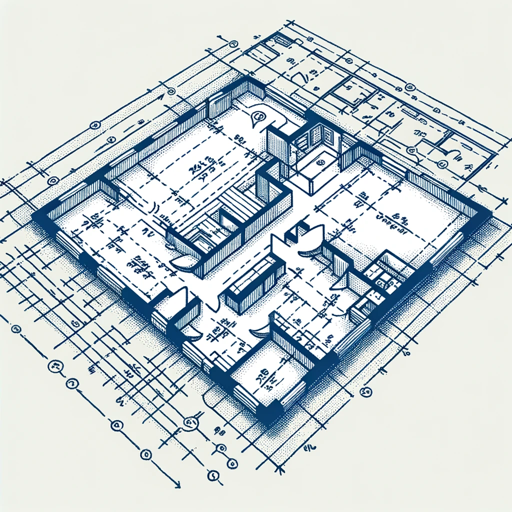
GPT. Architect. Expert at creating architectural designs, home floor plans and blueprints for home design.
Help me design a 6-bedroom house
Suggest a layout for an estate's backyard
I need a blueprint for a custom two-story home
Design a modern Japanese influenced two story estate
Get Embed Code
Related Tools

Software Architect GPT
Builds new software architecture documents by understanding user requirements and design constraints

Custom GPT Builder
Create personalized, high quality GPTs with this simple builder. Created in the AI Advantage Community, Version: 1.3

HackerGPT
Your guide in the world of hacking and cybersecurity.

Software System Design GPT
Designs systems and guides on using mermaid in draw.io

FixGPT
If your "unified" chatGPT doesn't know it can browse the web or draw, this GPT is for you!

Electronics Hardware Design GPT
Expert in electronics and hardware design, circuit and PCB guidance
IntroductionArchitectGPT overview to ArchitectGPT
ArchitectGPT is a specialized AI model designed to assist in architectural design, planning, and visualization. Its core purpose is to provide users with AI-driven solutions for creating detailed architectural concepts, optimizing layouts, generating 3D models, and aiding in the analysis of structural and spatial design decisions. ArchitectGPT combines the power of natural language processing (NLP) with architectural knowledge to generate insights, suggest design improvements, and help visualize complex architectural projects. This AI can be integrated into architectural workflows, allowing professionals to save time and improve their design precision. An example would be an architect asking ArchitectGPT to suggest layout options for a building based on specific requirements like maximizing natural light, which then generates several optimal design ideas that the architect can refine.
Main Functions of ArchitectGPT
Concept Design Assistance
Example
ArchitectGPT helps architects by generating initial design concepts based on a few simple inputs such as site size, budget, or style preference.
Scenario
An architect is tasked with designing a sustainable office building. They input parameters like 'modern, eco-friendly, natural lighting, open floor plan'. ArchitectGPT then generates multiple conceptual designs, showcasing various configurations of workspaces, shared areas, and green spaces, which the architect can use as a starting point for further refinement.
Space Planning Optimization
Example
ArchitectGPT can analyze space constraints and recommend optimal layouts toArchitectGPT overview improve functionality and aesthetics in buildings.
Scenario
A project manager needs to optimize the interior layout of a multi-story residential complex. By providing ArchitectGPT with parameters like room dimensions, intended function (bedrooms, bathrooms, living rooms), and access requirements, the AI generates several layout options. Each option prioritizes spatial efficiency while ensuring ease of movement and natural light flow.
3D Visualization and Model Generation
Example
ArchitectGPT can create basic 3D models from 2D blueprints or conceptual designs, helping designers and clients visualize a project before it's built.
Scenario
A client is unsure about how a proposed building will look with their chosen materials and layout. The architect inputs the design parameters into ArchitectGPT, which then generates a 3D model of the building, showing details like color schemes, exterior textures, and spatial relationships. This model can be shared with the client for feedback and adjustments.
Sustainability and Energy Efficiency Analysis
Example
ArchitectGPT can assess a building’s environmental impact by evaluating factors like energy consumption, insulation, and material sustainability.
Scenario
An architect designing a commercial building wants to ensure it meets energy efficiency standards. ArchitectGPT is used to simulate various materials and building configurations, suggesting which design choices will reduce energy consumption, maximize natural light, and minimize heating and cooling needs based on local climate data.
Code Compliance and Regulation Checking
Example
ArchitectGPT can help architects and designers ensure their designs comply with local building codes and regulations.
Scenario
An architect is working on a project in a new region with unfamiliar building codes. They input their design into ArchitectGPT, which cross-references the design with regional building regulations. The AI flags any potential violations (e.g., ceiling height, fire exits, or accessibility) and suggests modifications to ensure the design is compliant.
Ideal Users of ArchitectGPT
Architects
Architects are the primary users of ArchitectGPT. They benefit from AI-driven assistance in conceptual design, layout optimization, and visualization. ArchitectGPT helps them generate ideas faster, improve design quality, and reduce time spent on routine tasks such as creating 3D models or checking compliance with regulations. This allows architects to focus more on creative and strategic aspects of their work.
Interior Designers
Interior designers can use ArchitectGPT to generate optimized spatial layouts, test different design concepts, and visualize interior spaces in 3D. The AI provides rapid prototyping of interior layouts, helping designers present various design options to clients before committing to a final plan.
Urban Planners
Urban planners benefit from ArchitectGPT's ability to design large-scale projects such as neighborhoods or mixed-use developments. It aids them in considering factors like pedestrian flow, transportation access, and zoning regulations. ArchitectGPT can provide multiple design alternatives, optimizing for sustainability and livability.
Real Estate Developers
Real estate developers can use ArchitectGPT to visualize new projects and assess their potential market appeal. The AI can assist in designing buildings or developments that meet specific market demands (e.g., residential units in urban areas) and provide insights into design aspects that would maximize space usage and cost-effectiveness.
Construction Firms
Construction firms benefit from ArchitectGPT's ability to check for regulatory compliance, suggest efficient structural layouts, and optimize material use. This leads to fewer design flaws, reduced project timelines, and better alignment with construction capabilities, ultimately reducing costs and improving project outcomes.
How to Use ArchitectGPT
ArchitectGPT usage guideVisit the official website
Go to aichatonline.org to access ArchitectGPT for a free trial. No login or ChatGPT Plus required.
Select your project type
Once on the site, choose the type of task you want ArchitectGPT to assist with, such as content generation, academic writing, design feedback, or technical documentation.
Input your request or prompt
Provide clear instructions or describe your project requirements in the input box. ArchitectGPT is designed to understand detailed prompts, so ensure your request is specific.
Refine outputs and interact
Review the initial response and interact with ArchitectGPT by asking follow-up questions, giving clarifications, or adjusting the scope to get more accurate or specific results.
Download or implement outputs
Once satisfied with the generated content or design feedback, download the output or directly integrate the results into your workflow, whether it's for writing, design, or strategy.
Try other advanced and practical GPTs
Data Science
AI-powered data science made easy.

Cartoonize Family Photo
Transform your family photos with AI cartoon magic

Story Generator
AI-powered story creator that crafts polished writing fast.

100 percent human article writer
AI-powered content, human-like writing.

Flowchart Maker AI
AI-powered Flowchart Creation Made Easy.

Poster Pro
AI-powered design for effortless posters.

The Melanin Canvas
AI-driven creativity at your fingertips.

I ask, you seek!
AI-powered responses to your questions.

ADVOGADO EXPERT - Jurídico Brasileiro ⚖️
AI-powered Legal Assistance for Brazilian Law.

Statistics Solver
AI-powered statistical problem solver

Carousel Content Creator
Create professional carousels with AI power.

SinestesIA Web / ECOM
ai-powered ux writing that converts

- Academic Writing
- Content Generation
- Creative Design
- Technical Documentation
- Project Strategy
Frequently Asked Questions About ArchitectHow to use ArchitectGPTGPT
What is ArchitectGPT, and what can it do?
ArchitectGPT is an AI-powered tool designed to assist in a wide range of tasks, including content generation, writing, design feedback, and technical documentation. It uses natural language processing to create high-quality outputs tailored to user input, from simple drafts to complex project details.
Do I need an account or subscription to use ArchitectGPT?
No, ArchitectGPT allows users to access a free trial without needing to create an account or subscribe to ChatGPT Plus. You can start using it immediately on the website.
Can ArchitectGPT handle both creative and technical writing?
Yes, ArchitectGPT is versatile. It can assist with both creative tasks, like generating stories, blog posts, and ideas, as well as technical writing tasks, such as reports, academic papers, and professional documentation.
How can I ensure the results I get are accurate and aligned with my needs?
ArchitectGPT's accuracy improves with clear, detailed prompts. Be specific about your requirements, context, and desired output style. You can also refine the responses through iterative feedback or follow-up questions for more tailored results.
What are the main benefits of using ArchitectGPT for professionals?
ArchitectGPT helps professionals save time, improve productivity, and generate high-quality outputs. It can assist in brainstorming, writing, problem-solving, and even debugging or designing, providing a fast and reliable resource for a variety of industries.