

MindMap Markmap-AI-powered mind mapping tool.
AI-powered mind mapping for smarter planning.
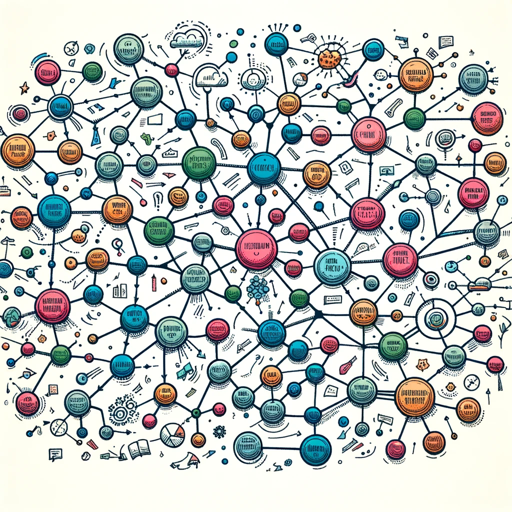
Create Mindmaps from texts. MindMaps can be rendered as image or interactive HTML through https://markmap.js.org/repl
Generate a mindmap about world war 2
Get Embed Code
Related Tools
Graph Maker
This GPT can provide guidance on the most appropriate type of graph for different data sets, such as bar charts, line graphs, pie charts, scatter plots, and more.

Mapas Conceptuales
creacion de mapas conceptuales mediante codigo markmap y mermaid
Flowchart Maker 🌟 - Diagram & Chart
🔥 An expert in generating flowcharts 🌈. This GPT can make flowcharts directly in your chat 😄, without visiting other websites ✨. V2.3

EarthMap - Geography Facts, Maps and Images
Discover geographic info, explore landmarks, view detailed maps, and enjoy vivid visuals. Geography, Geographie, География, Geografía, Géographie, Geografia, 地理, 지리, γεωγραφία, Geografia, Географија, Geografi, Karte, Карта, Mapa, Carte, Mappa, 地図, 지도, χάρ

Xmind Mindmap Generator
Generates detailed mindmaps in Markdown for Xmind.
MAPAS CONCEPTUALES
Especialista en mapas conceptuales académicos y de negocios en DOT, responde siempre en español.
Introduction to MindMap Markmap
MindMap Markmap is a versatile, open-source tool designed to create interactive and visually appealing mind maps that can be easily rendered into HTML format. It enables users to convert their plain-text mind maps, written in Markdown, into interactive, web-based visual diagrams. The tool is particularly effective for organizing ideas, brainstorming, and outlining information in a dynamic, hierarchical structure. The primary design purpose of Markmap is to make mind mapping more accessible, lightweight, and usable for developers and non-developers alike, while allowing for easy sharing and collaboration through web-based formats. For example, imagine a project manager who wants to outline the phases of a new product development process. Using MindMap Markmap, they could easily convert a text-based outline (written in Markdown) into an interactive mind map that stakeholders can explore on their own, making the whole planning process more transparent and collaborative.
Main Functions of MindMap Markmap
Markdown-to-Interactive Mind Map Conversion
Example
A user writes a project outline in Markdown format, using a simple, hierarchical structure with bullet points. Markmap converts this structure into an interactive mindMindMap Markmap Overview map, where each point can be clicked on to expand or collapse subpoints, allowing for easy navigation through large datasets.
Scenario
A software developer who is planning the architecture of a new app can write the app's design, features, and technical requirements in Markdown format. Using Markmap, they can instantly turn the text-based document into a visually navigable mind map that can be shared with the rest of the team, providing an interactive overview of the entire system.
Interactive Navigation and Customization
Example
Markmap allows users to customize the visual appearance of their mind map by adjusting the layout, colors, fonts, and node spacing. Users can zoom in and out of the mind map to focus on specific sections or see the entire map at a glance.
Scenario
A content strategist planning a website's blog post structure can use Markmap to visualize how articles and themes are related. By customizing the map's appearance (e.g., using different colors for different content types), they can make the map easier to navigate and communicate the structure more effectively to their team.
Export and Share as HTML
Example
Once a mind map is created, Markmap allows users to export it as an HTML file, which can then be shared with others. This makes it possible for people without the tool installed to still view and interact with the map on their own devices via a web browser.
Scenario
An educator creating a study guide for students might build a mind map of key topics. By exporting the map as an HTML file, the educator can share the interactive map with students, who can explore the material in an interactive way on their own time, helping to reinforce the learning process.
Ideal Users of MindMap Markmap
Project Managers and Team Leaders
Project managers can use MindMap Markmap to organize project timelines, milestones, and tasks in a way that's easy for team members to understand. They can write out project plans in Markdown and convert them into interactive mind maps for better visualization and collaboration. This tool helps break down complex projects into manageable chunks, promoting clarity and effective communication among team members.
Developers and Technical Architects
Developers who use Markdown regularly will appreciate how MindMap Markmap allows them to visualize complex code structures, app architectures, or system designs in a more intuitive way. They can write down their plans and create interactive, shareable mind maps that are useful for collaboration in development teams. Markmap is ideal for mapping out the flow of data, system processes, or even software modules in a highly visual manner.
Educators and Students
Educators can use MindMap Markmap to create study guides, lesson plans, or concept maps that students can interact with. The visual format of mind maps helps students grasp complex concepts, and the interactive nature of Markmap makes it a great tool for fostering engagement. Additionally, students can use the tool to organize their notes or project research in a clear, visual way.
Content Creators and Strategists
Content creators and strategists can use Markmap to plan and structure content for websites, blogs, and social media campaigns. With its hierarchical and interactive design, Markmap allows users to map out content ideas, themes, and publication schedules, making it easier to visualize the connections between various content pieces and track the overall strategy.
How to Use MindMap Markmap
Visit aichatonline.org for a free trial without login, also no need for ChatGPT Plus.
Navigate to the website, aichatonline.org, where you can start using MindMap Markmap without the need for creating an account or purchasing a subscription. This provides a seamless way to explore its features and capabilities.
Choose your starting template or create a new map.
Once on the platform, you can either start with an existing template for common tasks like brainstorming, project planning, or academic writing, or create a blank canvas to design a mind map from scratch.
Add and organize your ideas with ease.
MindMap Markmap uses a tree-like structure. Click to add nodes (ideas, tasks, etc.), and organize them hierarchically. Use drag-and-drop to rearrange nodes or change their relationships for a more logical flow.
Enhance your map with AI-powered features.
Leverage the AI functionalities built into MindMap Markmap. You can auto-generate related ideas or subtopicsMindMap Markmap Guide based on the central concept, or use the tool to suggest relevant connections, making mind mapping faster and more efficient.
Export and share your mind map.
Once you’re satisfied with your mind map, you can export it as an image, PDF, or interactive web-based format. The sharing options allow you to collaborate with others, making it useful for group brainstorming or project management.
Try other advanced and practical GPTs
Expert DIY Assistant
AI-powered guidance for any DIY task

GPT 4o Her
AI-powered insights, creativity, and productivity at your fingertips.

Video Creation Wizard
AI-Powered Video Creation in Minutes

INVIDEO AI'S Streamline Pro
AI-powered video editing for effortless content creation.

Author
AI-driven content creation made easy

Python
AI-powered Python coding made easy.

Cartoon
AI-powered Pixar-style photo transformation

PDF Translate
AI-powered translation for PDF documents.

Title and Keyword Generator
AI-powered tool for generating SEO-friendly titles and keywords.

Poster Pro
AI-powered design for effortless posters.

Flowchart Maker AI
AI-powered Flowchart Creation Made Easy.

100 percent human article writer
AI-powered content, human-like writing.

- Academic Writing
- Project Management
- Brainstorming
- Goal Setting
- Process Mapping
MindMap Markmap Frequently Asked Questions
What is MindMap Markmap?
MindMap Markmap is an AI-powered mind mapping tool that helps users visualize, organize, and manage ideas, tasks, and projects in a structured, interactive format. It combines traditional mind mapping with AI capabilities for a smarter mapping experience.
Do I need a subscription to use MindMap Markmap?
No, MindMap Markmap offers a free trial on aichatonline.org where you can explore all the core features without logging in or purchasing a subscription. However, advanced features may require a paid subscription after the trial period.
Can I collaborate with others on MindMap Markmap?
Yes, MindMap Markmap supports real-time collaboration. You can share your mind maps with others and collaborate on editing them. This is especially useful for teams working on brainstorming sessions or project planning.
What are the common use cases for MindMap Markmap?
MindMap Markmap is versatile and can be used for a variety of tasks, including brainstorming ideas, academic writing, project management, personal goal setting, and process mapping. Its AI-powered suggestions make it especially useful for complex or creative tasks.
How can AI enhance my mind mapping experience?
AI in MindMap Markmap can auto-generate related ideas, suggest new branches for your mind map, and even help identify connections between seemingly unrelated topics. This can save time, spark creativity, and help you organize information more effectively.