

Old Video Enhancer-AI-powered video enhancement tool
Enhance and restore old videos with AI

Guides on upscaling old videos to 4K with improved sound.
How do I upscale a 90s drama to 4K?
What's the best software for AI upscaling?
Can I improve the sound of an old video?
Step-by-step guide to upscaling videos.
Get Embed Code
Related Tools
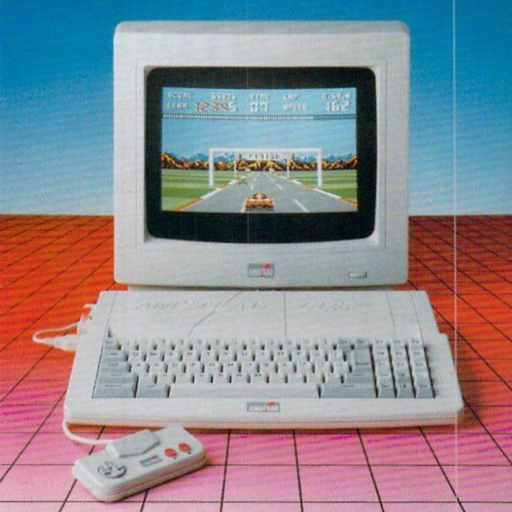
Luma / Gen-3 / Kling promt enchancer
Upload your image and get perfect promt for Luma's Dream Machine.

TweetX Enhancer
Refines tweets to boost engagement, with a style twist on demand.

Video Analyzer
Analyzes YouTube video transcriptions and provides structured, detailed analysis.

Video Loop
Infinite looping videos for Website Backgrounds, Displays, Logo Animations, and more. Create never ending videos for all projects.

Social Media Growth Expert
I'm a Social Media Marketer that create viral social media video Ideas, hooks, and scripts, while refining based on analytics with an end goal to Viral and land brand deals through social media like Tik Tok.

Video To Images
Convert video into images. And these images can be used to transform into a text summary.
Introduction to Old Video Enhancer
Old Video Enhancer is a sophisticated software tool designed to improve the quality of vintage or low-resolution videos. Its main objectiveOld Video Enhancer Overview is to enhance the visual and auditory quality of old videos, making them more enjoyable and suitable for modern displays, while maintaining the original essence and characteristics of the footage. The software leverages advanced algorithms, such as machine learning and AI, to upscale resolution, reduce noise, adjust color balance, and optimize details in aged footage. It is particularly valuable for digitizing old film reels, VHS tapes, or other outdated formats that may not perform well on modern screens. For example, a family video shot in the 90s might appear pixelated and blurry on a 4K TV, but by using Old Video Enhancer, the video can be upscaled to higher resolution, with improved clarity and enhanced audio for a better viewing experience.
Main Functions of Old Video Enhancer
Resolution Upscaling
Example
A VHS tape of a family vacation from the 1980s has poor resolution, only suitable for lowOld Video Enhancer Overview-quality TVs.
Scenario
Old Video Enhancer uses machine learning algorithms to upscale this video to HD or even 4K resolution. The process improves the clarity of the image by filling in missing details and creating smoother transitions, making the video appear sharper when viewed on modern, high-resolution displays.
Noise Reduction
Example
An old black-and-white film has graininess and static noise that distracts from the scene.
Scenario
Using Old Video Enhancer’s noise reduction tool, the grainy noise in the film is reduced, preserving the fine details and contrast while giving the video a cleaner, more polished look. This helps when converting old movies to digital formats or when archiving them for preservation purposes.
Color Restoration
Example
A faded color TV show from the 70s has lost vibrancy, with colors appearing washed out and dull.
Scenario
Old Video Enhancer can restore the original color balance by analyzing the faded hues and correcting them, making the colors appear more vibrant and lifelike again. The software can even adjust specific color channels to restore details in scenes that are hard to discern due to color degradation over time.
Audio Enhancement
Example
An old action movie on DVD has muffled audio with background hiss and low speech clarity.
Scenario
The audio enhancement feature of Old Video Enhancer uses AI to filter out background noise, enhance speech clarity, and optimize sound frequencies. It’s particularly useful when converting old tapes or films into digital formats where audio quality is degraded over time.
Frame Interpolation
Example
A 1980s low-budget sci-fi movie filmed at 24 frames per second looks choppy when viewed on modern devices.
Scenario
Old Video Enhancer increases the frame rate by interpolating additional frames between the existing ones, creating smoother playback. This is particularly useful when films are converted to higher frame rate formats like 60 fps, offering a more cinematic and fluid viewing experience on modern screens.
Ideal Users of Old Video Enhancer
Film Preservationists
Film preservationists are experts dedicated to maintaining and archiving historical and cultural films. Old Video Enhancer is invaluable to them because it helps preserve the visual and audio quality of old footage without altering its original content. This software is crucial when digitizing rare films or restoring archival material for museums or historical archives. It allows them to bring vintage footage back to life in high quality for educational purposes or public screenings.
Media Enthusiasts and Collectors
Individuals who collect vintage movies, TV shows, or family footage would benefit from Old Video Enhancer. Media enthusiasts often have a passion for preserving and restoring old content. They use the software to upconvert low-resolution films, repair damage from aging, and enhance the viewing experience. Whether it's a rare 90s video game cutscene or a family member’s old home video, Old Video Enhancer allows them to experience these recordings in better quality while keeping the authentic nostalgia intact.
Content Creators and YouTubers
Content creators who focus on retro-themed or historical content will find Old Video Enhancer helpful for improving the quality of old footage they use in their videos. Whether they’re reviewing classic video games, restoring old footage for analysis, or producing documentaries about past decades, the software ensures that the visuals and audio meet modern standards, even when the source material is decades old.
Restoration Studios
Professional restoration studios, which specialize in restoring old films, TV shows, and videos for cinematic releases or streaming platforms, can benefit significantly from Old Video Enhancer’s tools. These studios use it to repair and enhance old footage that may have suffered from deterioration, age-related issues, or improper storage. The software helps studios bring these films to modern standards, ensuring they are ready for HD or 4K distribution while maintaining their historical authenticity.
Video Archivists
Archivists who manage vast collections of film or video footage need tools to maintain the integrity of older formats. Old Video Enhancer allows them to archive footage in higher quality, making it more accessible and easier to digitize for preservation. Video archivists, especially those working with historical footage, find the software essential for long-term preservation while minimizing the risks of further deterioration.
How to Use Old Video Enhancer
Visit aichatonline.org
Go to aichatonline.org for a free trial.Old Video Enhancer Guide You don't need to log in or subscribe to ChatGPT Plus to start using the Old Video Enhancer.
Upload the video
Once you're on the site, click the 'Upload' button to select the video file you want to enhance. Ensure that the video is in a supported format (e.g., MP4, AVI, MOV).
Choose enhancement settings
Select from various enhancement options like resolution upscaling, noise reduction, frame rate improvement, and color correction. These settings allow you to customize the enhancement process based on your video’s needs.
Start the enhancement process
After adjusting the settings, click the 'Enhance' button. The tool will process your video by applying the selected enhancements. This process may take several minutes, depending on the video's length and complexityOld Video Enhancer Guide.
Download the enhanced video
Once the enhancement is complete, you can download the upgraded video in the desired format. Ensure that you have a stable internet connection to prevent any issues with downloading.
Try other advanced and practical GPTs
Text LOGO Designer
AI-driven logo design made simple

Algorithm Prof: Time Complexity
AI-Powered Time Complexity Analysis Tool

Photography Picture Analyzer and Critique
AI-powered critique for your photos.

MOODLE 4.1
AI-powered platform for dynamic eLearning.

Doodle Line Art Animals by Ohho AI
AI-powered line art for creative animals.

Moodle Expert
AI-powered assistant for educational excellence.

PDF Data Extraction to Excel
AI-powered PDF to Excel extraction tool.

Inpainting Wizard
AI-Powered Image Repair and Enhancement

Virology and Immunology Expert
AI-powered expertise in virology and immunology.

ImageFX Prompt Cleaner
AI-Powered Prompt Cleaning for Safe Creativity
Fedora
AI-powered assistant for mastering Fedora Linux

JOANA
AI-powered tool for diverse tasks.

- Content Creation
- Video Restoration
- Film Preservation
- Media Enhancement
- Digital Archiving
Frequently Asked Questions About Old Video Enhancer
What is the Old Video Enhancer?
Old Video Enhancer is an AI-powered tool designed to improve the quality of older or lower-resolution videos. It offers features such as resolution upscaling, noise reduction, and frame rate adjustment to bring vintage footage up to modern standards.
How does the enhancement process work?
The tool utilizes advanced AI algorithms to analyze each frame of the video and applies sophisticated techniques to enhance visual details, sharpness, and smoothness. This helps bring out hidden details in old footage and improve overall clarity.
Can Old Video Enhancer handle all types of video formats?
Yes, Old Video Enhancer supports a wide range of video formats, including MP4, MOV, AVI, and others. It is designed to work with both common and older formats that might be found in archival footage.
Do I need a powerful computer to use Old Video Enhancer?
No, you do not need an extremely powerful computer to use the tool. The enhancement process is done on the server-side, so the only requirement is a stable internet connection. Your computer merely needs to handle video uploads and downloads.
Is Old Video Enhancer suitable for professional use?
Absolutely. Whether you’re a content creator, filmmaker, or archivist, Old Video Enhancer can help restore and enhance old footage for professional projects. Its high-quality results make it ideal for both casual and professional applications.