

Mascot Maestro-AI-powered mascot creation tool
Create custom mascots with AI power
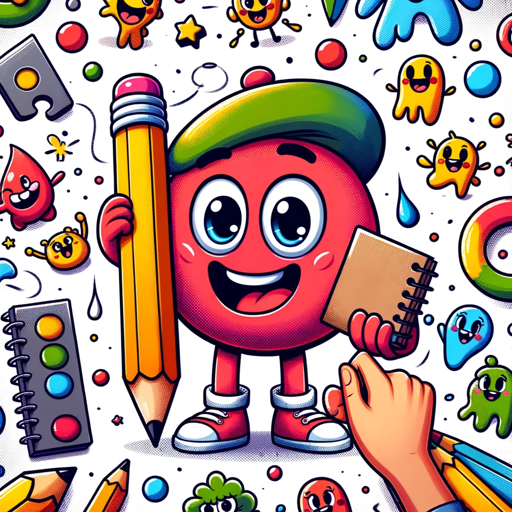
I help create and refine mascot ideas with a friendly touch!
Can you help me design a mascot?
What changes would improve this mascot idea?
I need a mascot for my event, any ideas?
How can I make this mascot more appealing?
Get Embed Code
Related Tools

Music Prompter
In future music, the ability to describe sounds will outshine the mastery of tools. Music Prompter is designed for this new reality, turning your descriptions—no matter how complex—into detailed blueprints that AI can use to craft your music. expect new g
Merch Dominator Assistant - Merch Print on Demand
I'm a Print on Demand Expert. I can help you be successful on Merch By Amazon, KDP, Etsy, Redbubble and more... Let's create something amazing!
Maestro de Tesis
Experto en metodología global para tesis y artículos científicos.
★MJP-mania/Mid journey (日本語対応)
主題の一言から、英語と日本語でMidjourneyに最適化した詳細プロンプトを作成します。コピペで高品質な画像生成可能。ミッドジャーニー初心者のプロンプト学習にも◎
Pun Innovator by Merch Momentum
Enter a niche name or tshirt idea for an expansive array of pun possibilities to augment your creative niche messaging and designs!

BestDelegate (MUN)
Your go-to MUN coach with a fun twist!
Introduction to Mascot Maestro
Mascot Maestro is a versatile platform designed to streamline the creation, management, and implementation of mascots for various branding purposes. Its primary goal is to provide businesses, organizations, and individuals with a dynamic tool for designing, customizing, and deploying mascot characters that resonate with audiences. The platform allows for creating personalized digital mascots for companies, sports teams, events, schools, and even gaming projects. The design process is user-friendly, often featuring an intuitive drag-and-drop interface for customizing appearance, colors, and accessories. Mascot Maestro also includes tools for animating and integrating mascots into websites, videos, and social media platforms. Example: A school using Mascot Maestro to design a unique mascotMascot Maestro Overview for school events and sports games, or a company designing a brand mascot for their marketing campaigns.
Main Functions of Mascot Maestro
Mascot Creation and Customization
Example
Users can create mascots from scratch or modify pre-existing templates. Mascot Maestro provides customization options for features like facial expressions, clothing, accessories, and color schemes.
Scenario
A sports team can use the platform to design a mascot that reflects the team's colors and spirit. The mascot can be dressed in the team's uniform and made to match the tone of the sports culture they represent.
Mascot Animation and Integration
Example
Once the mascot design is complete, users can animate the mascot for use in promotional videos, social media content, and event presentations.
Scenario
A business launching a new product might create a mascot to promote their brand. After designing it, the mascot could be animated to appear in an advertisement on social media or an animated explainer video.
Multi-Platform Support
Example
Mascot Maestro allows users to export and share their mascots across multiple platforms, ensuring compatibility with social media sites, websites, and even live-streaming platforms.
Scenario
A YouTuber creating a mascot for their channel can easily export it as a GIF, PNG, or video file to incorporate it into their content, ensuring it fits well with their channel’s branding across different media.
Ideal Users of Mascot Maestro
Businesses and Marketers
Companies looking to build or enhance their brand identity would benefit greatly from Mascot Maestro. Whether it's a small business needing a mascot for a product launch or a large corporation wanting to create a brand ambassador character, Mascot Maestro offers a simple solution to developing engaging and memorable brand mascots. The platform's ease of use allows businesses of all sizes to design mascots without requiring advanced design skills.
Sports Teams and Schools
Sports teams, schools, and educational institutions often need a mascot that embodies their spirit and values. Mascot Maestro allows these groups to create mascots that represent their culture, team spirit, and identity. Schools, for example, can design a fun, student-friendly mascot for sporting events, pep rallies, or other school functions. Mascot Maestro can also be used to create animated versions of mascots to engage students on social media and websites.
Content Creators and Influencers
Influencers, YouTubers, streamers, and other content creators often use mascots to represent their personal brand and connect with their audience. Mascot Maestro gives them the tools to quickly create a mascot that aligns with their brand and style. The ability to animate and share these mascots across multiple platforms allows influencers to integrate the mascot into their videos, streams, and social media posts seamlessly.
Event Organizers and Marketing Campaigns
Event planners, marketing professionals, and advertisers frequently use mascots as part of campaigns to increase audience engagement and brand visibility. Mascot Maestro makes it easy to design a mascot that can be integrated into event branding or used in digital and print media. For example, an event organizer might create a fun, memorable mascot for a convention or festival, which can then be used on tickets, promotional materials, and social media content.
HowMascot Maestro Usage Guide to Use Mascot Maestro
Visit the Website
Start by visiting aichatonline.org. You can access Mascot Maestro directly without needing to log in or have a ChatGPT Plus subscription. This gives you the freedom to explore the tool immediately through its free trial.
Explore the Dashboard
Upon visiting the site, you'll be presented with a clean and user-friendly dashboard. Familiarize yourself with the available options and tools that Mascot Maestro offers. Make sure to check out any tutorial or help sections available for a quick walkthrough of the platform’s core features.
Choose a Mascot Template
After exploring the dashboard, choose from various mascot templates or design styles. Mascot Maestro offers a range of customizable templates to suit different needs (e.g., educational, sports, corporate). Pick one that fits your intended purpose or start from scratch if you have a specific vision in mind.
Customize the Mascot
Use Mascot Maestro’s powerful AI tools to customize your mascot’s features, such as color schemes, expressions, accessories, and branding. The tool provides intuitive sliders, color pickers, and image-editMascot Maestro Usage Guideing features for personalization. Keep experimenting with different options to refine the mascot until it meets your expectations.
Download and Share
Once you're satisfied with the design, click the 'Download' button to get your mascot in high-resolution formats (e.g., PNG, SVG). You can then use the mascot in your branding, website, or promotional materials. Mascot Maestro also provides options for sharing directly on social media platforms or with a team.
Try other advanced and practical GPTs
AI英语老师
AI-powered English tutor for all levels.

鬼編集長
AI-powered content enhancement for any project.

🍓Ada
AI-powered tool for fast, accurate help.

Ontario Law
AI-powered legal insights for Ontario Law.

부동산 지식인 (아파트 투자,실거주 측면에서 비교 분석)
AI-powered apartment comparison and investment insights.

❤🎶영어회화 에밀리 워커 🌟❤ speaking English 영어 회화
AI-powered tool for fluent English conversations.

Convert Image to Text
AI-powered text extraction from images.

Composition Expert musical Multi-Genre
AI-powered multi-genre music composition made easy.
Транскрибация видео/аудио
AI-powered transcription for video and audio.

のSora - text to video converter
AI-powered text-to-video creation made simple.

Filosofía especializada profesional
AI-powered expertise in professional philosophy.
Analog Electronic Circuits II Tutor
AI-driven guidance for analog circuit mastery.
- Education
- Marketing
- Branding
- Event Promotion
- Corporate Identity
Mascot Maestro Q&A
What kind of mascots can I create with Mascot Maestro?
Mascot Maestro allows you to design a wide variety of mascots, ranging from cartoonish characters to more formal logos. The tool is versatile enough to create mascots for sports teams, schools, companies, events, and more. You can customize mascots with different facial expressions, outfits, accessories, and color schemes.
Do I need any design skills to use Mascot Maestro?
No, Mascot Maestro is designed to be user-friendly, making it accessible even to those without a background in graphic design. The platform uses AI to guide you through the creation process, providing suggestions and auto-generated options that simplify customization. However, having a basic understanding of design principles can help refine the mascot further.
Can I integrate Mascot Maestro with my website?
Yes, you can easily download your mascot design in various formats like PNG, SVG, or even transparent backgrounds, making it simple to integrate the mascot into your website, branding, or marketing materials. Mascot Maestro doesn’t offer direct integrations, but the downloadable files are compatible with any platform.
Is Mascot Maestro suitable for businesses?
Absolutely! Mascot Maestro is particularly useful for businesses looking to create a unique brand mascot. Whether you're a startup, a large company, or a marketing agency, the tool helps you develop mascots that represent your brand's personality. Mascot designs can be easily scaled for use across digital and print media.
Can Mascot Maestro handle multiple mascot designs at once?
Mascot Maestro currently focuses on one mascot design at a time per user session. However, you can always create multiple mascots by saving each design separately and returning to the platform as needed. It’s important to manage your projects individually, but the process is quick and streamlined.