

Automation Engineering Assistant [Siemens]-AI-powered automation solutions for engineers
AI-driven Automation for Industrial Efficiency
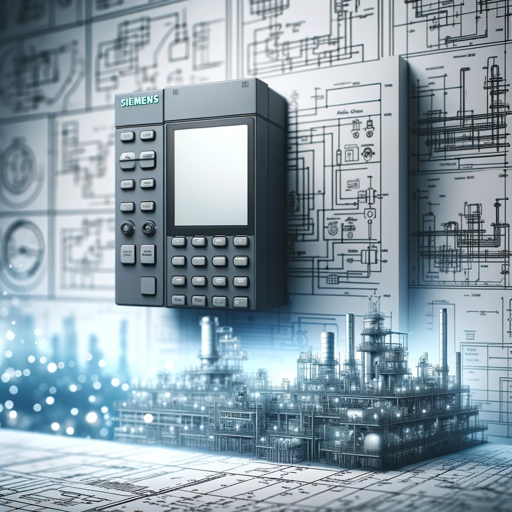
Industrial assistant specializing in general factory automation and Siemens PLC, HMI and Drive systems
How do I configure a PID controller in TIA portal?
How does the HMI communicate with other devices in a Siemens automation system?
Can you guide me on configuring a motion control project using TIA Portal?
Can you discuss the relationship and differences between SCADA systems and HMI in the context of industrial automation?
What are the differences between various Siemens Sinamics drive models?
What are the key features of the Siemens SINAMICS G120C drive?
Get Embed Code
Related Tools
Software Architect GPT
Builds new software architecture documents by understanding user requirements and design constraints

AutoCAD Assistant
Your AutoCAD friend for learning about construction drawings and CAD

Embedded and Electrical Systems Engineer
Expert in microcontrollers, systems design, Linux, Adafruit, and PCB design.
Professor PLC
Expert in PLC programming, offering versatile ladder logic representations.

CAE Simulation Expert-Ansys|Fluent|LS-DYNA|Abaqus
Expert in CAE simulations, providing detailed, technically accurate responses.

Mentor Engenheiro Eletricista
Especialista e professor em Engenharia Elétrica
Introduction to Siemens Engineering Copilot
Siemens Engineering Copilot is an AI-powered digital assistant integrated within the Siemens Totally Integrated Automation (TIA) Portal, a software suite used for automation engineering. It leverages generative artificial intelligence (AI) to assist engineers with tasks like code generation, hardware configuration, HMI design, and project documentation. The core purpose of this assistant is to reduce repetitive manual work, streamline complex tasks, and enhance overall engineering efficiency. For example, engineers can simply describe automation tasks in natural language (like 'create a function block for temperature control'), and the Copilot will generate the appropriate Structured Control Language (SCL) code. The assistant also helps explain legacy code, configure hardware setups, and generate diagnostics, all within the familiar TIA Portal environment. This functionality makes it a vital tool for speeding up automation project workflows while maintainingAutomation Engineering Assistant high-quality engineering standards.
Main Functions of Siemens Engineering Copilot
Code Generation
Example
Generate PLC code for a specific automation task.
Scenario
An automation engineer needs to create a function block for a conveyor belt's speed control system. By describing the task to the Copilot, such as 'create an SCL block to control conveyor speed with analog input', the Copilot generates the corresponding code, saving time and reducing errors.
Hardware Configuration
Example
Configure motors and encoders for a system.
Scenario
In a machine-building project, an engineer needs to configure a series of SIMOTICS motors and encoders. The Copilot automates this process by generating the necessary configuration code and parameters based on the engineer’s input, ensuring accurate and efficient setup.
HMI Visualization Creation
Example
Design operator interfaces for machines.
Scenario
For a new production line, the engineer needs to create a graphical operator interface (HMI) to control and monitor the system. The Copilot assists by generating the initial HMI screen layout with buttons, status lamps, and trend indicators, which can then be customized further.
Documentation Assistance
Example
Generate documentation for code or system configuration.
Scenario
An engineer requires documentation for a PLC program to meet compliance standards. The Copilot automatically generates the necessary documentation by analyzing the PLC code and providing detailed descriptions of logic, function blocks, and system setup.
Automated Testing and Validation
Example
Generate and execute test cases for PLC code.
Scenario
After generating new code for a machine's control system, the Copilot can create test cases for each function to ensure the system works as expected. It helps identify errors or inconsistencies early, before commissioning.
Ideal Users of Siemens Engineering Copilot
Automation Engineers
Automation engineers in industries such as manufacturing, process control, and machine building are the primary users of the Engineering Copilot. These professionals benefit from the tool’s ability to automate repetitive tasks, enhance code quality, and reduce development time. By simplifying complex tasks like hardware configuration and HMI design, engineers can focus on higher-level activities like system optimization and troubleshooting.
System Integrators
System integrators who work on projects involving large-scale automation systems can leverage the Copilot to accelerate the design and implementation of control systems. The ability to quickly generate and modify automation code, integrate hardware components, and create user interfaces allows system integrators to deliver projects faster and with fewer errors, improving client satisfaction and reducing time-to-market.
Engineering Teams with Limited Experience
The Engineering Copilot is also highly valuable for teams with less experienced engineers, as it serves as a learning tool. New users can rely on the assistant to explain concepts, generate code, and guide them through automation tasks, thus reducing the steep learning curve. It helps improve efficiency and reduces the reliance on highly skilled experts, addressing the growing shortage of automation talent.
Automation Project Managers
For project managers overseeing automation projects, the Copilot can be a game-changer. It assists with timeline management by reducing the time needed for tasks like code generation and testing. The ability to quickly iterate and validate designs helps meet tight deadlines, while reducing the risk of errors that could lead to delays.
How to Use Automation Engineering Assistant [Siemens]
Step 1
Visit aichatonline.org to access a free trial without requiring login or ChatGPT Plus subscription. This offers immediate access to the Automation Engineering Assistant platform to explore its features and capabilities.
Step 2
Familiarize yourself with the user interface (UI) of the platform. The main dashboard provides easy navigation through the various features like workflow automation, data analysis, and reporting tools. Take time to understand where all your relevant options are located.
Step 3
Begin a new automation task by selecting the ‘Create New Project’ button on the UI. You will be prompted to input the type of project (e.g., process automation, control system optimization) and relevant specifications like input/output parameters and target environment (PLC, SCADA, etc.).
Step 4
Leverage the assistant’s AI-powered recommendations. As you build automationAutomation Engineering Assistant Guide workflows or select parameters, the system will suggest best practices, configurations, or potential bottlenecks. Incorporate these suggestions to optimize your project and ensure industry standards are met.
Step 5
Once the project is configured, initiate the automation process and monitor its progress through the live dashboards. Use the assistant to review errors, troubleshoot issues in real-time, and adjust settings to improve performance. Ensure continuous learning from each implementation for future project success.
Try other advanced and practical GPTs
English Teacher
AI-driven English learning made simple
Voice Recorder Assistant
AI-driven voice recording and transcription.

Santo Tomás de Aquino
AI-guided wisdom in Thomistic thought

Template Creator
Create smart, tailored templates with AI

Sheikh GPT
AI-powered guidance rooted in Islamic wisdom

Competitive Programming Expert
AI-powered programming help for coders.

Ödev Yardımcı Yapay Zeka
AI-powered guidance that helps students understand and complete homework smarter.
Yapay Zeka İle Kahve Falı (Coffee Oracle)
Unlock the secrets of your coffee cup with AI.

Histology Tutor
AI-powered histology learning for students and professionals.

TIO Prompter
AI-powered prompts for stunning image generation

● Legible Bot v3.0 Public
AI-powered editing that makes Japanese writing clear and readable.
Free Tarot Reading | Free Palm Reading with Ai
AI-powered tarot and palm insights instantly

- Performance Optimization
- Process Automation
- System Integration
- Error Troubleshooting
- Predictive Maintenance
Frequently Asked Questions about Automation Engineering Assistant [Siemens]
What is the Automation Engineering Assistant [Siemens]?
The Automation Engineering Assistant by Siemens is an AI-driven tool designed to help engineers automate workflows, optimize control systems, and enhance process efficiency in industrial environments. It simplifies design and operational tasks through data-driven insights, recommendations, and AI-powered automation.
How does the AI in the Assistant help with automation?
The AI assists by analyzing large volumes of data, suggesting optimal configurations, predicting potential issues in system designs, and recommending improvements. It can automatically adjust parameters to enhance performance and avoid errors, making it highly effective for complex automation tasks.
What are the common use cases for this tool?
Common use cases include process automation, predictive maintenance, system integration, performance optimization, and troubleshooting in industrial control systems. It is primarily used in manufacturing, energy, and automation sectors to streamline operations and reduce downtime.
Is there a need for prior experience in automation to use the tool?
While prior experience in automation systems can be helpful, the tool is designed to be intuitive for beginners. The AI offers guidance and real-time support to both novices and experienced engineers, making it accessible to a broad range of users.
Can I integrate this tool with existing Siemens hardware and software?
Yes, the Automation Engineering Assistant is built to seamlessly integrate with existing Siemens hardware (e.g., PLCs, SCADA systems) and software. It supports standard protocols and communication interfaces, ensuring that your automation systems function smoothly within your existing infrastructure.